New in Svippit: links, product order and a tidier store
Social and website links, your own product order, a shorter product form, and a store page that is easier to shop in.
Since the autumn news on 18 October, the store page has a few changes your customers will notice, and the product list is easier to steer. Here is what matters.
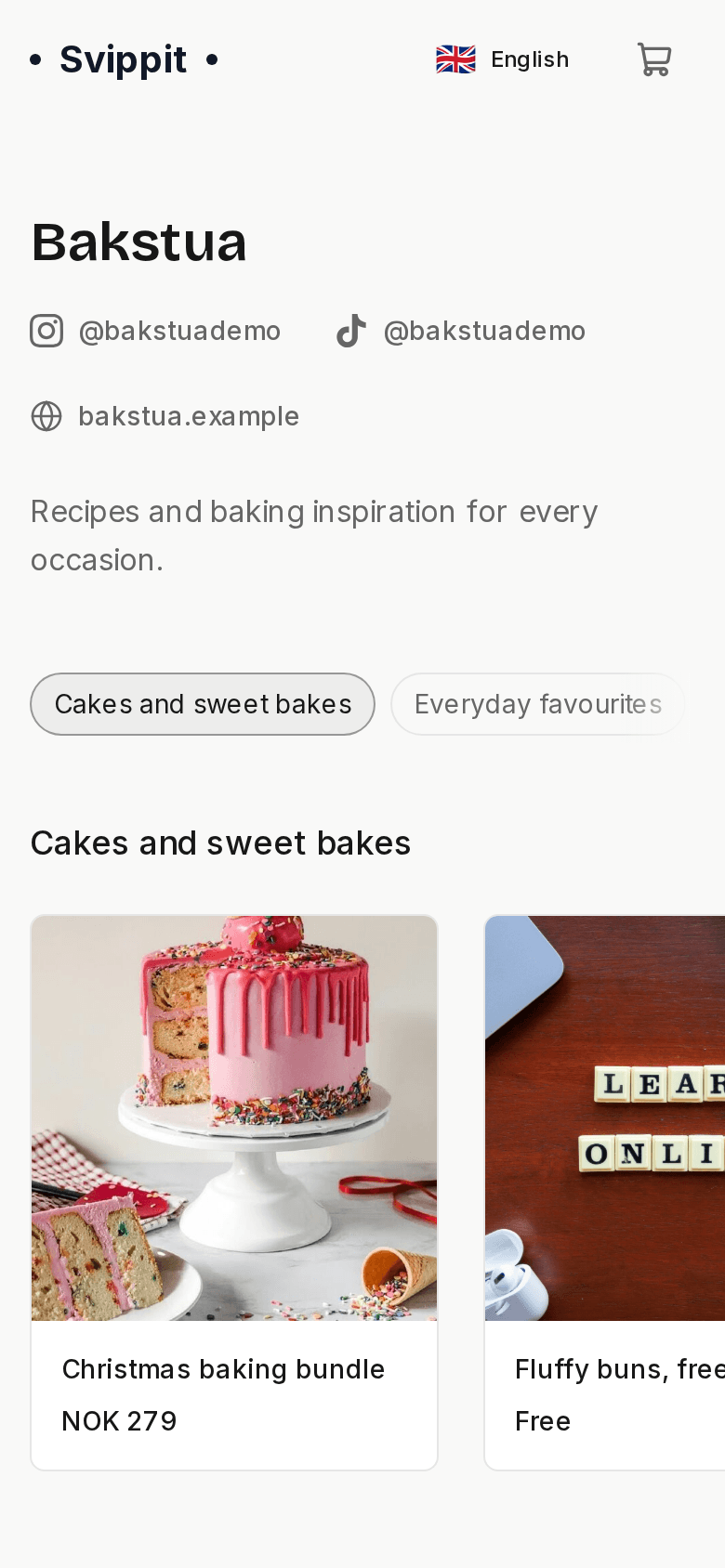
The pictures show English text from Bakstua, our fictional demo store for digital baking recipes. Products, prices and details are examples.
Links to Instagram, TikTok and your website
Under Settings → Links you can add social media and your website. Paste a link or type the username, and Svippit recognises the platform. The links sit by the store name at the top of the store page, so customers find you where you already share what you make.
You can add Instagram, Facebook, TikTok, YouTube, X, LinkedIn, Pinterest, Snapchat, Threads, Bluesky and your website, and set the order yourself.
Choose the order of your products
Want the Christmas products first? Press Move under Products and drag them into place. Move to top sends the selected products to the top in one go. The store page uses the same order.
With categories, you sort inside each category. Until you change the order, the newest product still comes first.
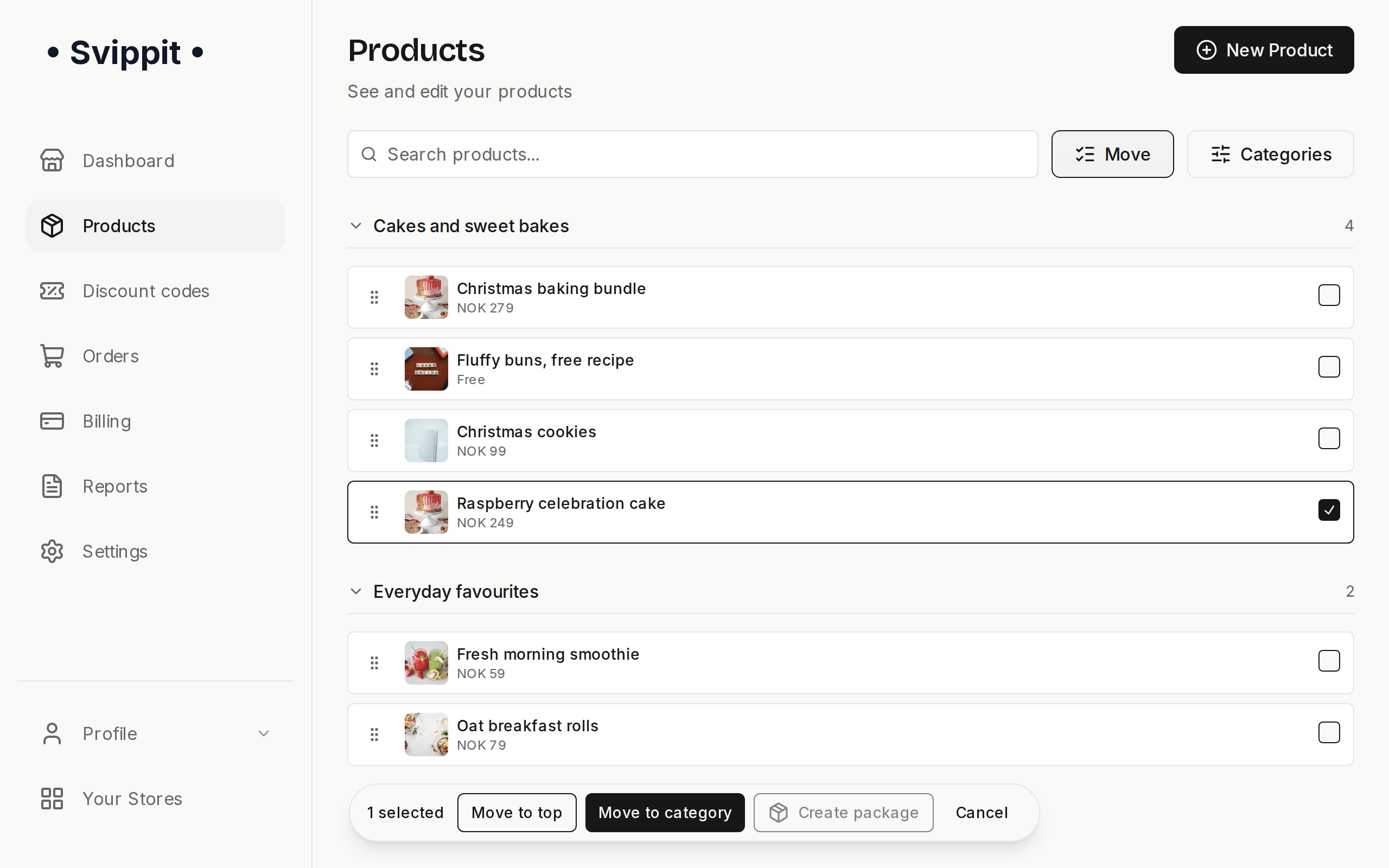
You organise the store with product categories.
Choose the product type first
New product now starts with "What would you like to sell?". Choose Physical product or Digital product, and the form keeps only the fields that type needs: images first when you ship an item, files first for a download. The type stays fixed after the product is created.
The form has a Visible in the store switch, and hidden products get the Hidden label in the list. The product address is filled in from the name.
A store page that is easier to shop in
Image view. A tap on a product image opens it in the centre of the screen. Customers can swipe or use the arrows, and see how many images there are. The next image is already loaded.
The price says more. Physical products with shipping show "+ shipping" right after the price. If the store is registered for VAT, prices say "incl. VAT". An amount such as 149.50 kr now shows the øre.
A tidier footer. Store and product pages group their links under Orders and returns and About the store. Company details open in their own window, and the page ends with your store. Svippit stays as a small line at the very bottom.
Small and useful
- Change the store address under Store address in settings. The old address sends visitors on, so old links and QR codes still work.
- A contact email for customers. The address in Contact Email shows in the store and in order emails. An empty field uses the company email.
- The variant is included. Size, colour and other choices now appear in the customer's order email, in your sale email, and on the receipt in the Vipps app, for example "Ring, Size: 54".
- Consent for digital products. Before paying, the customer agrees that the right of withdrawal ends once the download is available. The consent is stored on the order.
- Faster images. Product images load faster in the store.
- New home page. svippit.com has a new illustrated look.